From Paper to Digital: Best Practices in Invoice Capture Automation
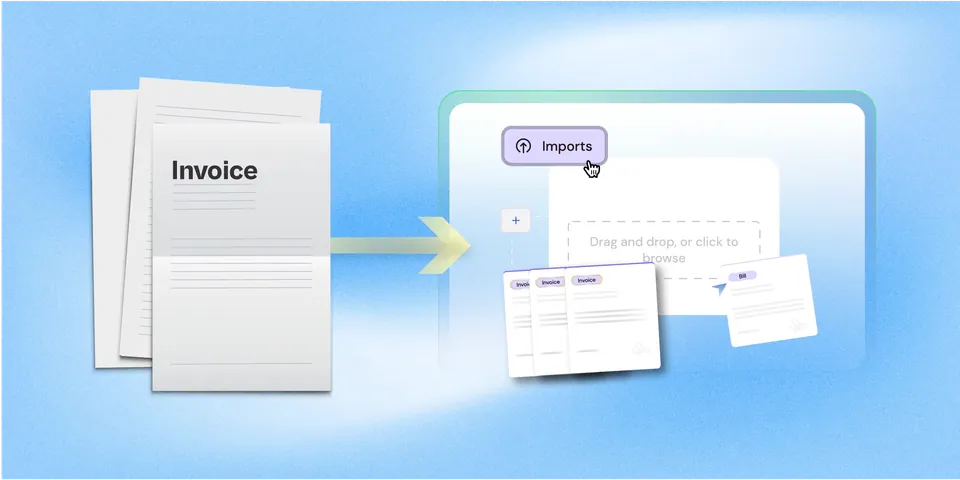
Invoice capture is where automation starts. For most companies, digitizing this step means faster processing, fewer errors, and better working capital control. Here’s how to do it right - from central intake to exception handling.

Contents
The Hidden Cost of Manual Invoice Capture
86% of SMBs still manually enter invoice data.
Manual capture slows everything down:
- 14–18 days to process a paper invoice
- $10–$15 average processing cost
- High error rates, missed discounts, poor visibility
What Invoice Capture Automation Delivers
Automated invoice capture uses OCR and AI to extract data from scanned or digital invoices.
According to studies:
- Costs drop by up to 80%
- Cycle times fall to 3–5 days
- Early payment discounts increase 6–8x
It’s not just about speed, it’s about control, auditability, and scale.
5 Best Practices for a Paper-to-Digital Transition
1. Centralize Your Invoice Intake
Create one inbox (e.g., invoices@company.com) for all incoming bills.
Scan paper invoices immediately. Normalize formats (PDF preferred).
2. Choose the Right Capture Tech
Look for tools with:
- Multi-format support (paper, email, PDF)
- Header & line-item extraction
- ERP integration
- Built-in audit trails
OCR alone isn’t enough, AI improves match rates and reduces exceptions.
3. Build Validation & Exception Workflows
Even AI gets it wrong. Set up:
- Auto-rules (e.g., PO required, vendor match)
- Exception queues with SLA-based routing
- Threshold-based approvals (e.g., <5% variance auto-approves)
4. Track Key Metrics Post-Launch
Good invoice capture shows up in KPIs:
- Cost per invoice: Target <$4
- Touchless rate: >60%
- Cycle time: 3–5 days
- Error rate: <3%
5. Communicate Internally & With Vendors
AP automation is a team sport.
Train your team on new workflows. Alert vendors to new submission rules.
Real Numbers: Manual vs Automated Capture
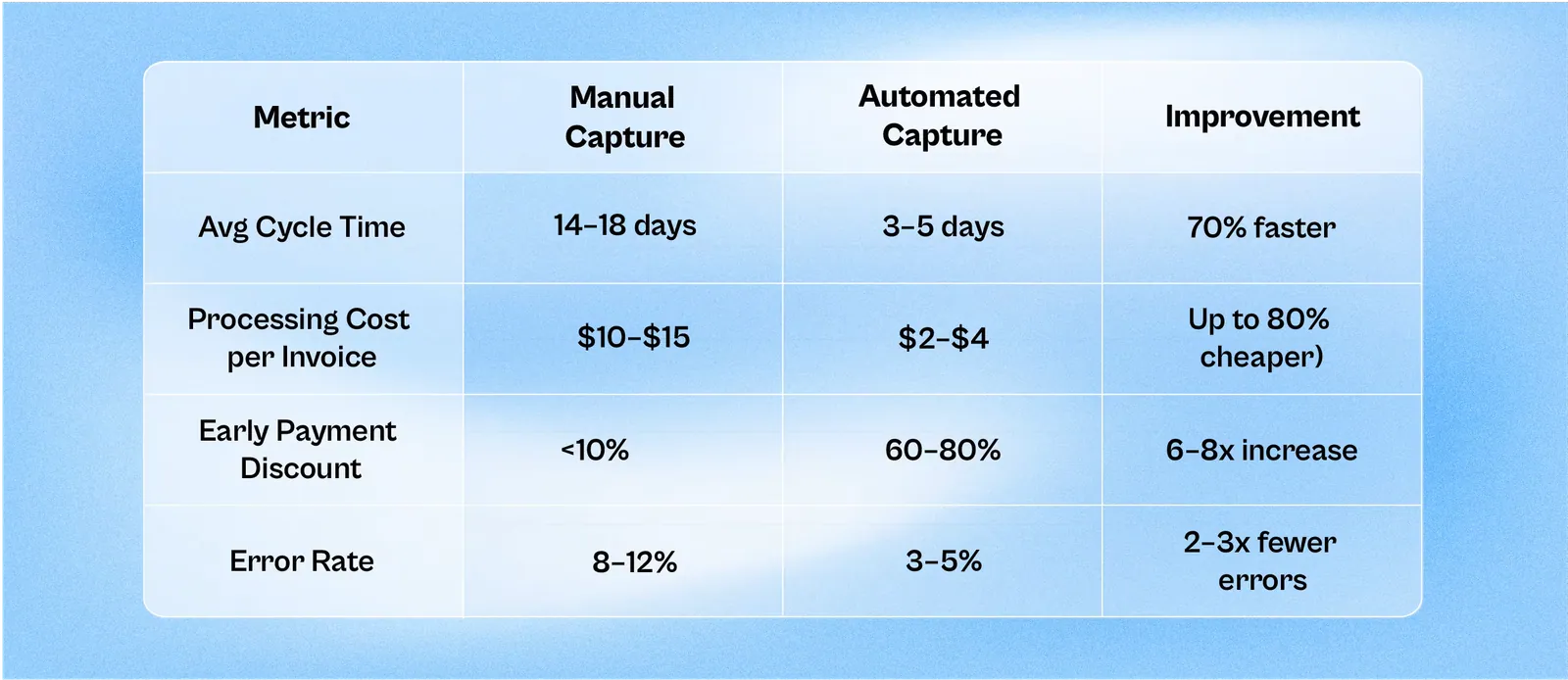
Finance teams can’t afford manual capture anymore. Automation frees up cash, cuts errors, and lets AP teams focus on strategy, not scanning.
Ready to modernize your invoice intake?