Finofo vs Yooz
OCR is a commodity. Finofo is OCR with a brain.

OCR has existed for thirty years. It has not moved the needle on how AP teams work.

Capture is table stakes now. Yooz has it. Every AP platform has it. The question that matters is what the system actually understands about the invoice once it is in.

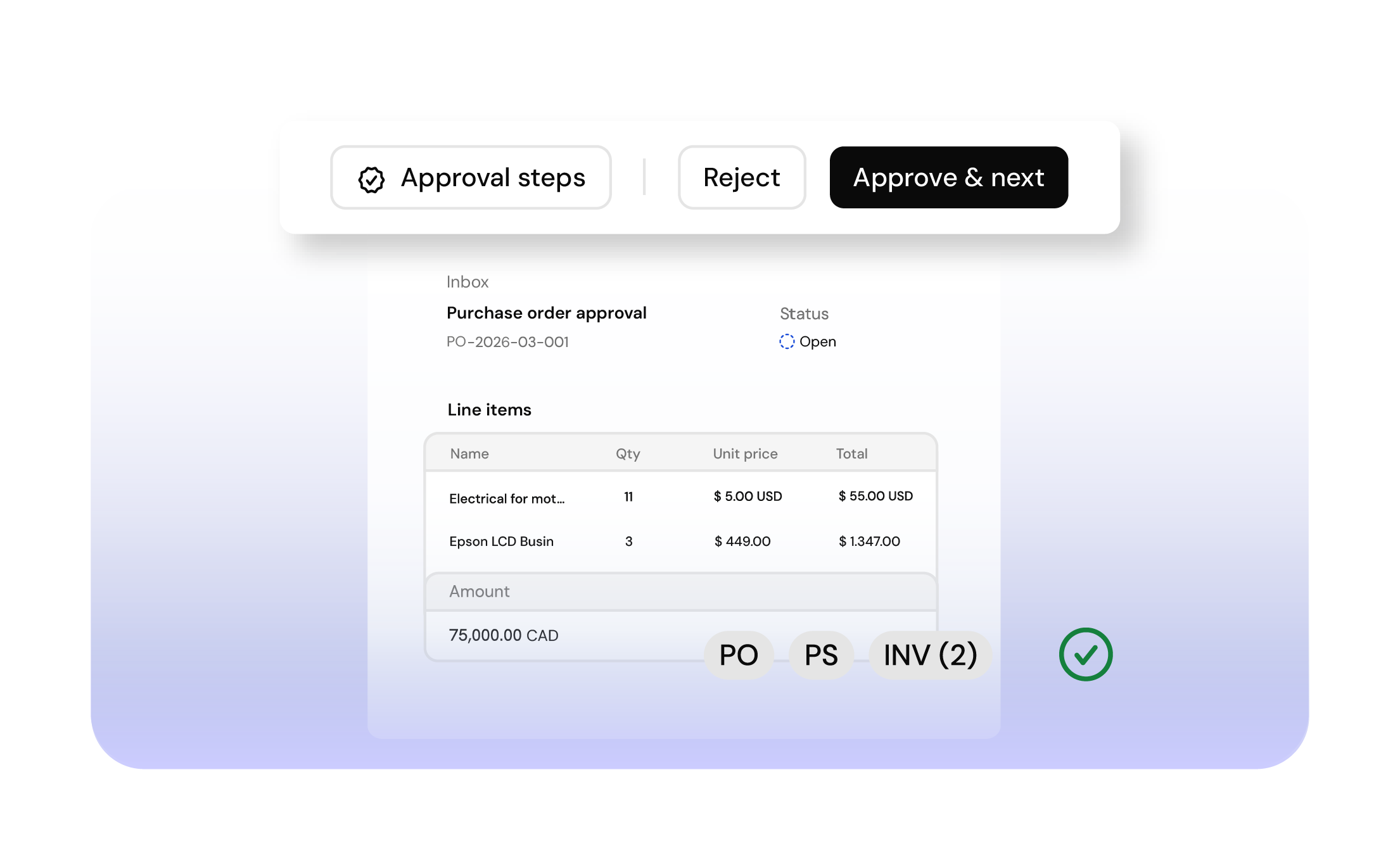
Finofo reads line by line, not just header totals. It knows what kind of document it is looking at before extraction runs. It matches every line against the PO and the receipt before an approver opens it. It codes the result to the GL, department, and cost center so the invoice lands in your ERP ready to close.

That is the brain. Without it, you have a digitized PDF and the same work your team has always done.

The questions that actually decide your AP stack

Before you compare logos and feature lists, run these past the tool you are evaluating.

Does the system read a 40-line invoice line by line, or does it hand your team a header total and expect them to break it out?
Can an approver see the document, the PO, the receipt, and the exception in one view, or do they click through five screens to piece it together?
Do hundreds of invoices load, filter, and sort without the interface stalling, or does someone on your team scroll manually to force them in?
Does a batch payment hold its selections when you pause to review one line, or does opening a document reset the work?
Does the posted invoice arrive in your ERP fully coded, or does someone in accounting clean it up after the fact?

Public reviews of Yooz tell a consistent story on these dimensions. So do finance teams who have moved off it.

The questions that actually decide your AP stack

Before you compare logos and feature lists, run these past the tool you are evaluating.

Does the system read a 40-line invoice line by line, or does it hand your team a header total and expect them to break it out?
Can an approver see the document, the PO, the receipt, and the exception in one view, or do they click through five screens to piece it together?
Do hundreds of invoices load, filter, and sort without the interface stalling, or does someone on your team scroll manually to force them in?
Does a batch payment hold its selections when you pause to review one line, or does opening a document reset the work?
Does the posted invoice arrive in your ERP fully coded, or does someone in accounting clean it up after the fact?

Public reviews of Yooz tell a consistent story on these dimensions. So do finance teams who have moved off it.

Where the gap shows up

Features
Finofo
Yooz
Document ingestion
Email, text, chat, and drag-and-drop. AI classifies every document before extraction runs, so invoices, receipts, POs, and packing slips route correctly from the first touch.
OCR and omnichannel capture across email, mobile, portals, and uploads. Public reviews call out OCR that misses key invoice details.
Line-item intelligence
Reads line by line with full context. Vendor, SKU, quantity, unit price, GL code. Each line is structured, matched, and coded before an approver sees it. This is the foundation everything downstream relies on.
Line-level extraction is the weak spot. Reviewers describe lines the system fails to read cleanly. Users have long asked for stronger PO matching, which depends on that data to work.
Matching and exceptions
AI-powered 2-way and 3-way line-item matching across invoices, POs, GRNs, and packing slips. Configurable tolerances. Exceptions surface with their full context attached.
Line-level PO matching and configurable tolerances on paper. Public reviews flag duplicate-invoice issues and the matching gap in practice.
Approver experience
Document, match, exception, comments, and history in one shared view. Approvers decide with the full picture in front of them.
Comments, notifications, and document history live as separate capabilities in Yooz's own product. Approvers click between screens to piece the picture together before deciding.
Batch workflows at volume
Hundreds of invoices load, filter, and sort without losing state. Open a document, close it, your selections remain. Built for AP teams running real volume.
Public reviews describe clunky navigation and search that is not prominent enough. Scaling up compounds the friction.
Payments
Pay vendors faster. Full control of cash management, including multi-currency. Your business name appears on your vendors' bank statements, so reconciliation stays clean and vendor relationships stay yours.
Payments route through Yooz's payment partners. The partner's name shows up on your vendor's bank statement, not yours.
ERP posting
Invoices post fully coded with GL, department, location, and cost center. Nothing sits between approval and close.
Broad ERP connectivity. Public reviews point to setup complexity, syncing delays, data mismatches, and reporting that is not robust enough.
Workflow flexibility
Custom workflows built around the way your team actually operates.
Standard product workflows and configurations.

Where the gap shows up

Features
Finofo
Yooz
Document ingestion
Email, text, chat, and drag-and-drop. AI classifies every document before extraction runs, so invoices, receipts, POs, and packing slips route correctly from the first touch.
OCR and omnichannel capture across email, mobile, portals, and uploads. Public reviews call out OCR that misses key invoice details.
Line-item intelligence
Reads line by line with full context. Vendor, SKU, quantity, unit price, GL code. Each line is structured, matched, and coded before an approver sees it. This is the foundation everything downstream relies on.
Line-level extraction is the weak spot. Reviewers describe lines the system fails to read cleanly. Users have long asked for stronger PO matching, which depends on that data to work.
Matching and exceptions
AI-powered 2-way and 3-way line-item matching across invoices, POs, GRNs, and packing slips. Configurable tolerances. Exceptions surface with their full context attached.
Line-level PO matching and configurable tolerances on paper. Public reviews flag duplicate-invoice issues and the matching gap in practice.
Approver experience
Document, match, exception, comments, and history in one shared view. Approvers decide with the full picture in front of them.
Comments, notifications, and document history live as separate capabilities in Yooz's own product. Approvers click between screens to piece the picture together before deciding.
Batch workflows at volume
Hundreds of invoices load, filter, and sort without losing state. Open a document, close it, your selections remain. Built for AP teams running real volume
Public reviews describe clunky navigation and search that is not prominent enough. Scaling up compounds the friction.
Payments
Pay vendors faster. Full control of cash management, including multi-currency. Your business name appears on your vendors' bank statements, so reconciliation stays clean and vendor relationships stay yours.
Payments route through Yooz's payment partners. The partner's name shows up on your vendor's bank statement, not yours.
ERP posting
Invoices post fully coded with GL, department, location, and cost center. Nothing sits between approval and close.
Broad ERP connectivity. Public reviews point to setup complexity, syncing delays, data mismatches, and reporting that is not robust enough.
Workflow flexibility
Custom workflows built around the way your team actually operates.
Standard product workflows and configurations.

When You Should Choose Finofo

  • AP volume is growing and your current tool slows down as it does.
  • You need line-level intelligence. Header-level OCR with an AI label will not cover it.
  • Approvers need the full picture before they decide. Fragmented views slow the queue.
  • You want line-level matching across invoices, POs, GRNs, and receipts, not just document routing with rubber-stamp approvals at the end.
  • You want invoices hitting your ERP fully coded, so close does not spill into the following week.
  • You want faster vendor payments, multi-currency support, and your business name on the bank statements your vendors actually see.
  • Your process has edges that standard AP products do not cover.

When Yooz Might Still Fit

  • Header-level capture is your single priority and line-item intelligence is not a requirement.
  • Standard configurations map cleanly to your current process.
  • You are fine with payments routing through a third-party partner whose name appears on your vendors' bank statements.
  • Workflow flexibility past the approval step is not a requirement.

How Finofo is helping
finance teams

AP Automation

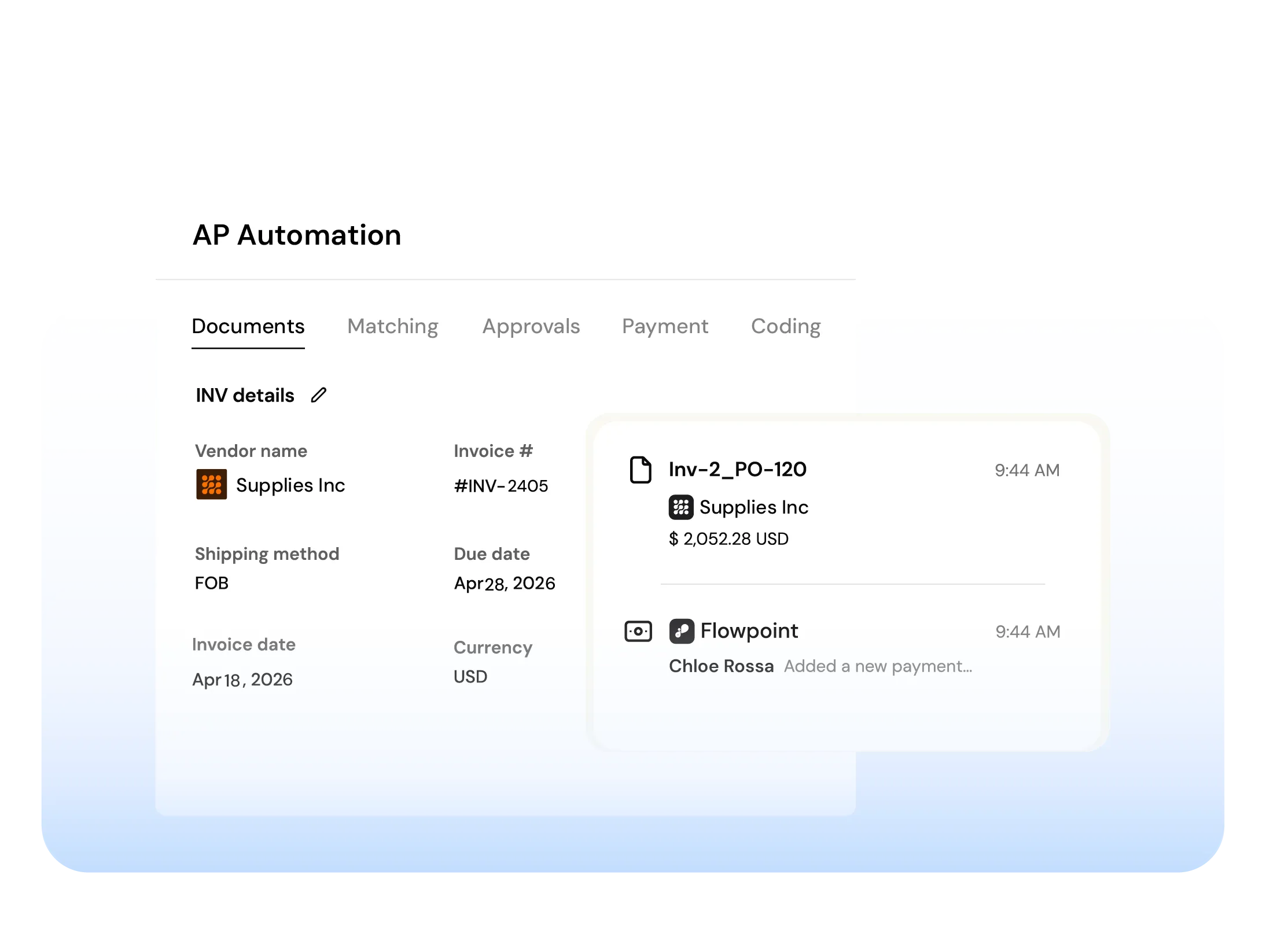
From invoice to payments, match with AI, give approvers full context, and auto-post fully coded invoices to your ERP.

Document Hub

Ingest invoices, POs, and packing slips from email or upload. Centralized, searchable and ready for automation.

AI Powered Matching

AI matches invoices, POs and GRNs line by line, flags exceptions and blocks overpayments automatically.

Collaboration

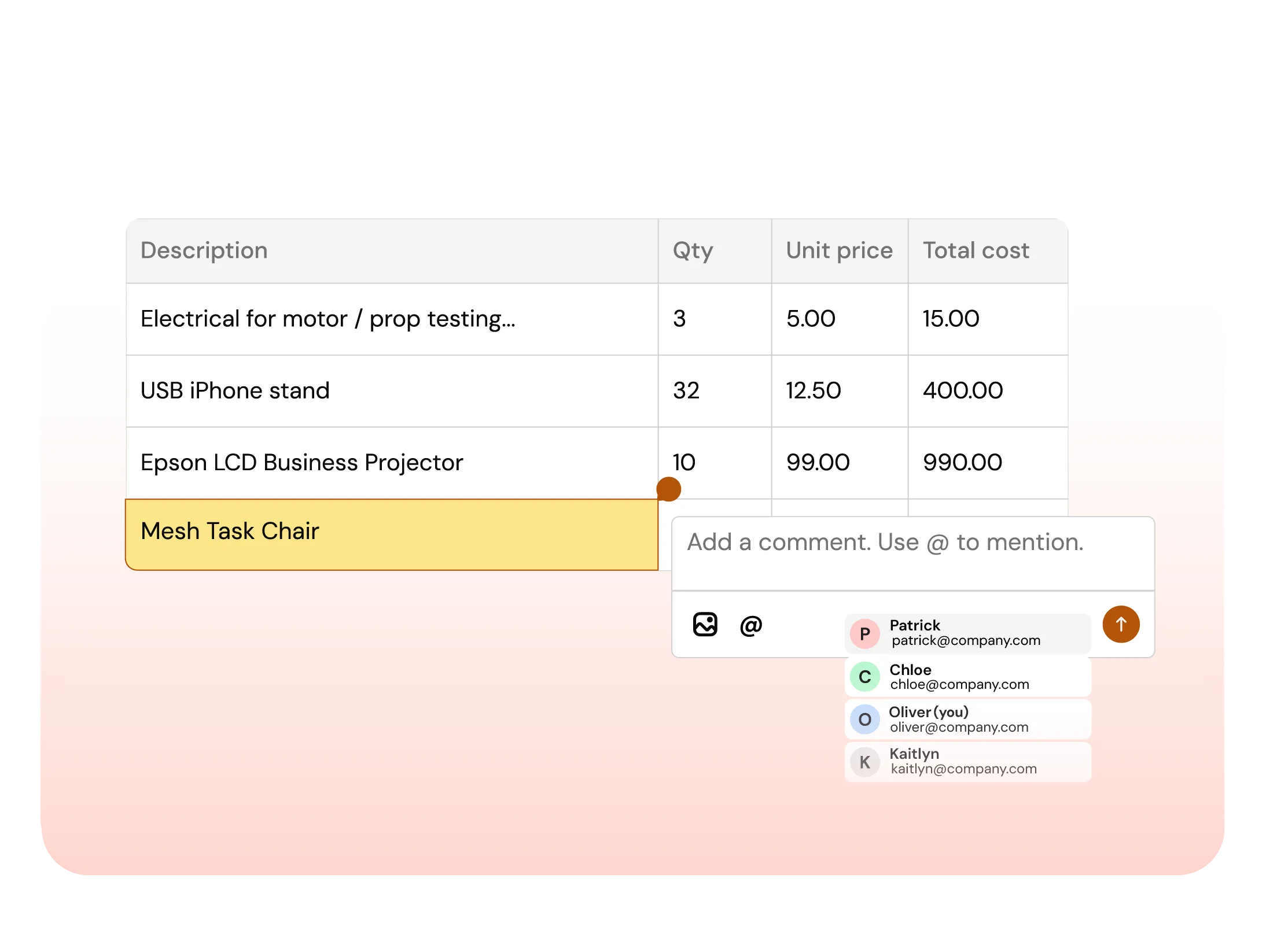
Comment, tag teammates, and resolve exceptions directly on invoices and line items. No inbox noise.