





Control spend before the invoice arrives

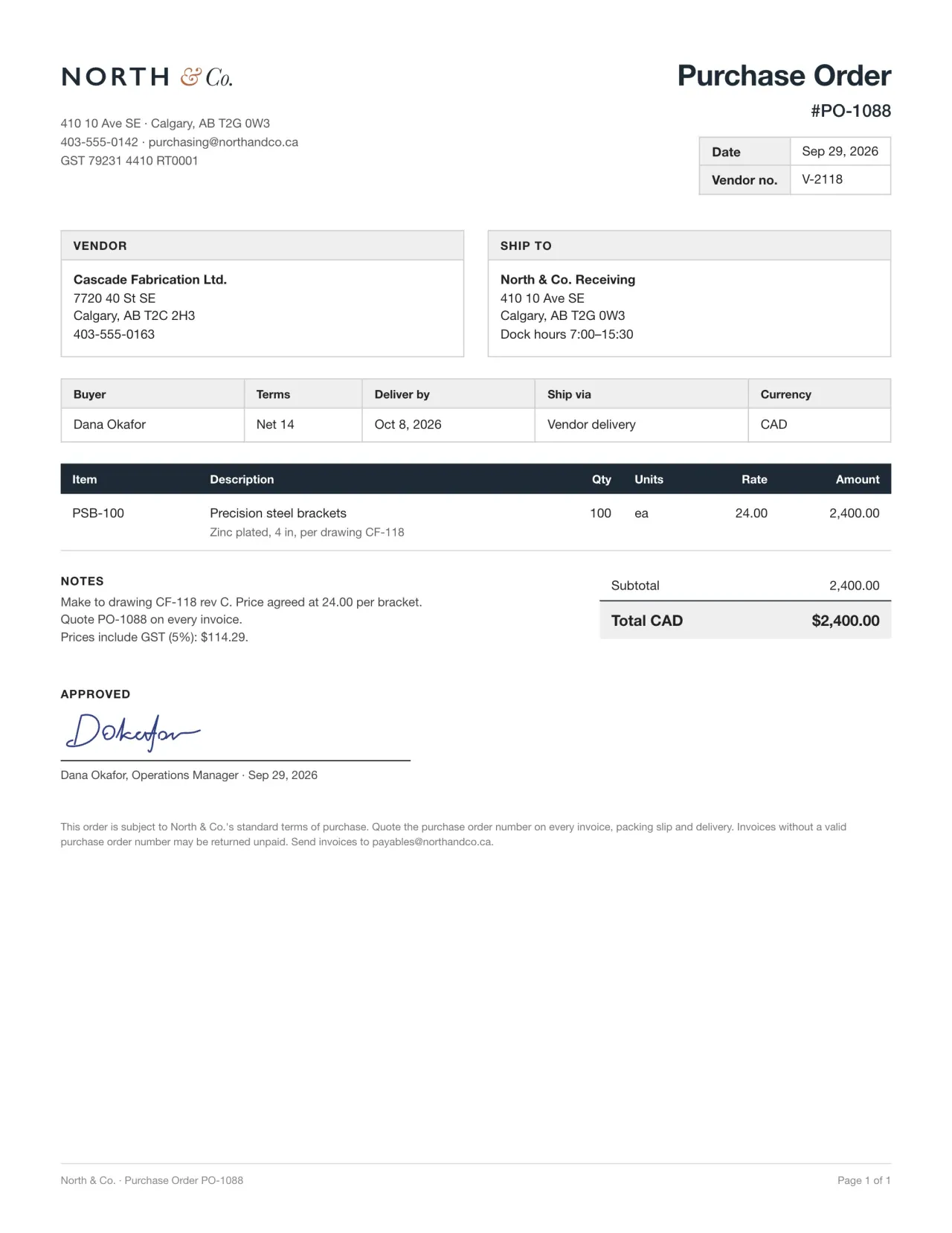
Create or bring in POs, approve where needed, record what was received, and match invoices to the right commitment.

  • Bastion Health and Safety Systems
  • EM
  • Western Road Distribution
  • Leads.io
  • Broda
  • Xenex Labs
  • Delphax Inkjet
  • Tłı̨chǫ Government of Behchokǫ̀

How it works

  1. Create a PO, import one, or optionally start with a spend request.

Every purchase, controlled.

Approval when you need it.

  • Start with an optional spend request before issuing a PO.
  • Route approvals by amount, vendor, entity, or department.
  • Keep approval history attached to the purchase.

Raise the PO.Send it to the vendor.

  • Create POs from vendors, products, services, and saved offerings.
  • Use agreed pricing and supplier details where available.
  • Send approved POs directly to vendors.

Already have POs?Bring them in.

  • Import or sync POs from your current purchasing system.
  • Use existing POs as the source for invoice matching.
  • Keep the purchasing process your team already uses.

Record what was actually received.

  • Confirm goods or services against the PO.
  • Capture partial receipts and open quantities.
  • Keep receiving evidence available for invoice review.

Every invoice checked against the PO.

  • Compare invoice lines with approved PO details.
  • Add receiving records for 3-way matching.
  • Flag quantity, price, unit, or tax discrepancies.

Unmatched does not mean unmanaged.

  • Route missing-PO or mismatched invoices for extra review.
  • Apply tolerance rules and keep comments with the exception.
  • Move resolved invoices into approval, accounting, and payment.

More tools to power your financial operations

Finofo FAQs – everything you need to know

Is a spend request mandatory?

No. Start with a PO directly, import one, or request approval first when needed.

Can Finofo use POs from another system?

Yes. Imported or synced POs can be used for matching.

Do you support partial receiving?

Yes. Receiving records can reflect partial deliveries or accepted services.

Is this inventory management?

No. It focuses on purchasing controls and invoice matching, not warehouse stock.

Not seeing your question? Switch topics with the dropdown above.

Control spend before AP has to clean it up.