While the purchase order is open, fix a posted receipt with Edit receipt, or take it back with Void receipt from its ... menu.
A voided receipt is kept for audit and its quantities stop counting toward the PO. Once the PO is closed, reopen it to correct its receipts.
Edit receipt lets you change the Receipt date, Notes, Received (good) and Rejected, and the PO's figures follow the change. On a closed PO the button is disabled: "This purchase order is closed; reopen it to correct its goods receipts."
Voiding takes the whole receipt back. Finofo asks you to confirm: "Its quantities will stop counting toward the purchase order. The receipt is kept for audit." The receipt's Activity tab lists who created, posted or voided it.
1. Open Documents > Goods receipts, select Posted and open the receipt.
2. Click Edit receipt.
3. Change Received (good), Rejected, the Receipt date or Notes.
4. Click Save.
1. Open the receipt and open its ... menu.
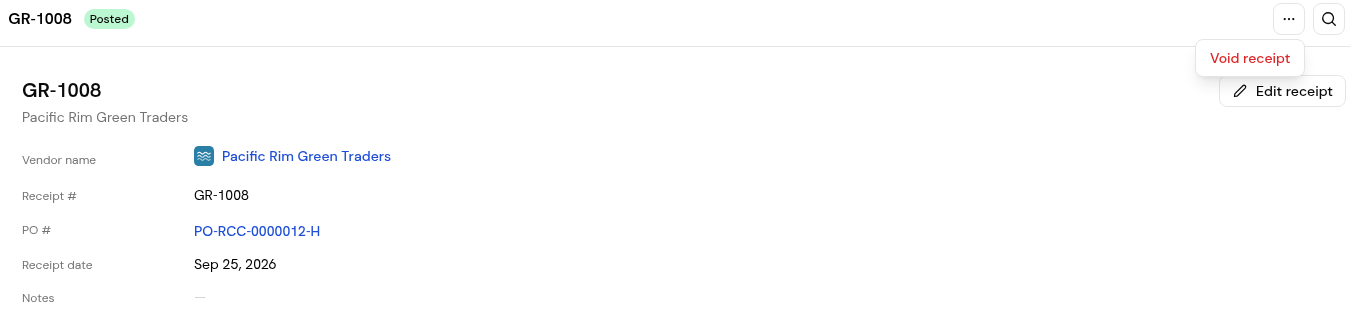
2. Choose Void receipt.
3. In the dialog, click Confirm, or No to keep the receipt.
The purchase order is closed. Reopen it to correct its goods receipts.
No. The receipt is kept for audit, and its quantities stop counting toward the PO.
Yes. The order's figures follow the change.


