Finofo reads invoices and statements with its standard rules, without templates. When one vendor's documents are read the wrong way every time, an extraction rule tells Finofo how to read that vendor in future.
Rules live on the vendor's Extraction rules tab, split into Vendor statements and Invoices. Aliases record the other names a vendor appears under.
Extraction rules are "Instructions we follow when reading this vendor's documents. They apply to future uploads, not to documents already extracted." A vendor with no statement rules shows "We read this vendor's statements with our standard rules. Add an instruction when something is read the wrong way every time."
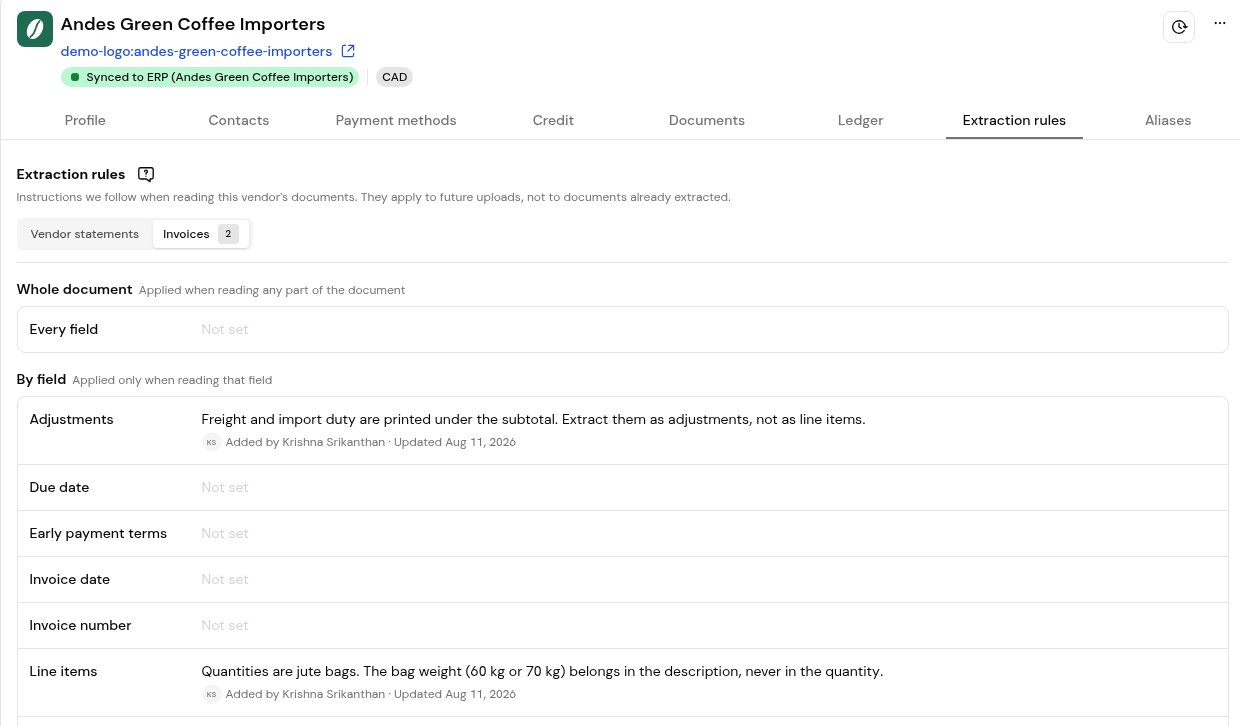
Each rule applies either to the Whole document ("Applied when reading any part of the document") or By field ("Applied only when reading that field"). Statement fields include Statement number, Statement date, Period start, Period end, Opening balance, Total amount due and Transactions. Invoice fields include Invoice number, Invoice date, Due date, Line items, Adjustments, Subtotal, Tax breakdown and Total amount.
Good rules name the field, say where the value is on the page, and say what to ignore.
1. Open Vendors and select the vendor, or click Extraction rules on one of the vendor's statements.
2. On the Extraction rules tab, choose Vendor statements or Invoices. The count on each sub-tab shows how many rules are saved.
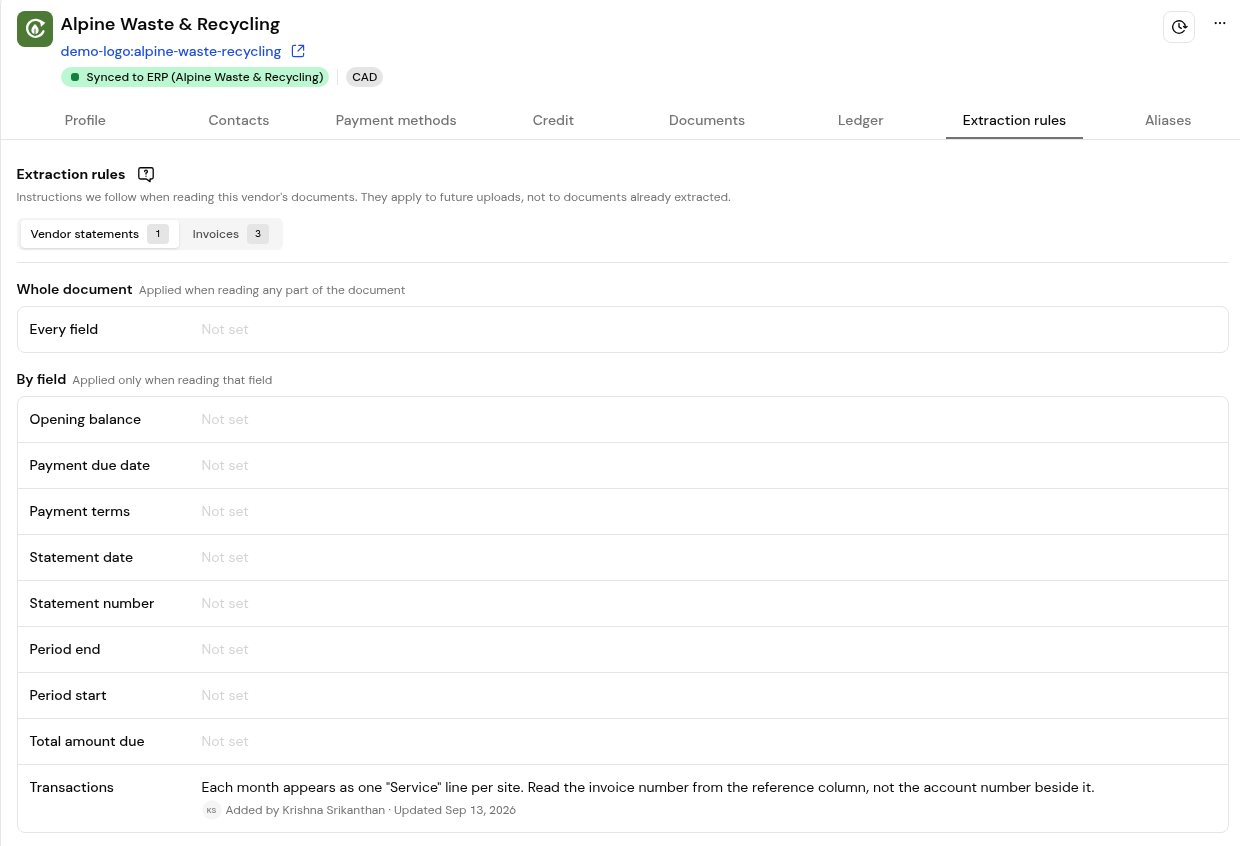
3. Read the saved rules under Whole document and By field.
4. To add a rule, click Add an instruction.
5. Upload the next document from the vendor and check that it is read as expected.
The Aliases tab lists other names the vendor appears under, so documents link to the right vendor even when the trading name differs. A vendor without aliases shows "No aliases yet". Use Add alias to record one.
No. They apply to future uploads, not to documents already extracted.
An extraction rule changes how a vendor's documents are read. A coding rule, set in Settings > Integrations > Coding settings, decides how invoices are coded.
With Read invoices even when we can't identify the vendor switched on in Settings > Documents, the invoice is read anyway and waits on the Drafts tab until someone names the vendor.
No. Finofo reads structured and unstructured documents without templates.


