Mileage rates set the per-kilometre amounts employees can claim. Each rate is coded to a GL account.
The default rate, marked with a star, is prefilled on every new mileage claim; the others stay available to pick. The rate used is stored on each claim, so changes affect new claims only.
Each rate is a card showing its name, the amount per kilometre, a worked example such as "100 km × 0.72 = 72", and its coding, for example "Coded to 7100 · Travel". The default card says "Prefilled on every new mileage claim." Every other card says "Submitters can pick this on a claim instead of the default." and has a Make default button.
A common set-up is a standard rate for the first 5,000 km as the default, a lower rate after 5,000 km, and a fuel-only rate for company vehicles. Each card has edit and delete icons.
1. Open Settings > Mileage rates.
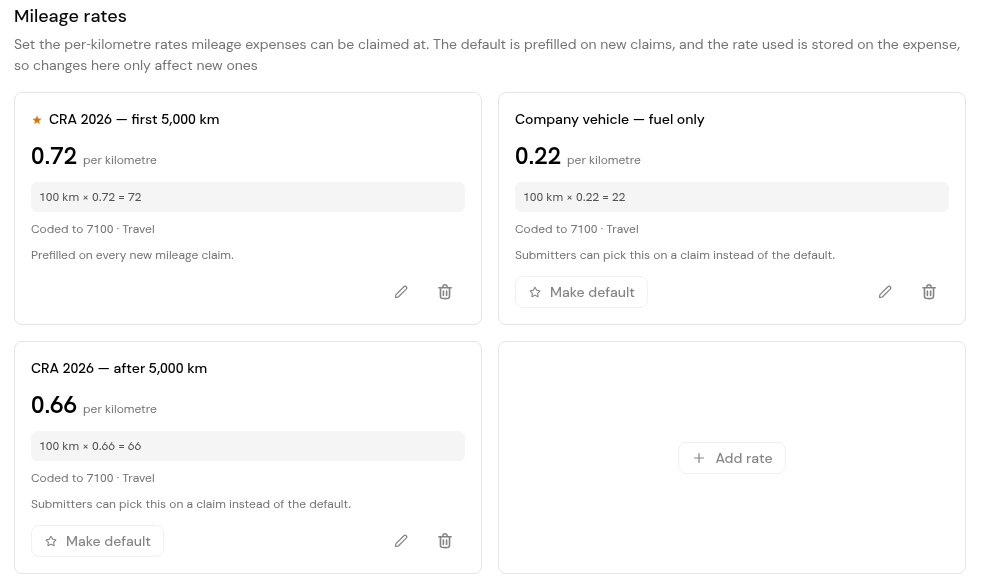
2. Check each card's rate, worked example and GL account.
1. Click Add rate, or the edit icon on an existing card.
2. Enter the rate's name, its amount per kilometre and the account it is coded to, then save.
3. To retire a rate, use the delete icon on its card. Claims already made keep their rate.
1. On the rate that should be prefilled on new claims, click Make default.
2. Check that the star has moved to that rate.
No. The rate is stored on each claim, so changes apply to new claims only.
Yes. The default is prefilled, and the other rates stay available to pick on a claim.
Per kilometre.
It is marked with a star and reads "Prefilled on every new mileage claim."


