Most card expenses have one receipt, one charge and one account. This article covers the exceptions: a charge with no receipt, a refund or payment on the card, and one purchase that needs more than one code.
Exceptions show in the Exceptions column and in the expense's Summary panel, so they are dealt with before approval.
The receipt is optional on the expense form, so an expense can be created without one. For a card expense, the matched card transaction serves as proof of purchase. For a reimbursable, attach whatever other proof of the purchase you have. Card charges with no expense stay visible in Transactions as Link an expense until they are resolved.
Finofo checks the figures it reads from each receipt. Subtotal math error and Total math error mean the amounts on the receipt don't add up, and the Reconciliation chip shows the gap, for example "Total off by 45.00". Finofo also looks out for duplicate expenses.
Refunds and payments to the card account arrive in Transactions as negative amounts, shown in green. A purchase that covers several accounts, departments or tax rates is one expense with several line items, each with its own coding.
1. Open Expenses > Card expenses, click + (New card expense) and choose Enter expenses manually.
2. Choose Standard, then set Paid with and the Card.
3. Enter the Merchant, Date, Currency, line items, Subtotal and Total. Leave the receipt empty.
4. Explain why there is no receipt in the Memo, then click Create card expense.
5. Link the expense to its card transaction in Expenses > Transactions with Match to expense.
1. Open Expenses > Card expenses, select All and look at the Match status and Exceptions columns.
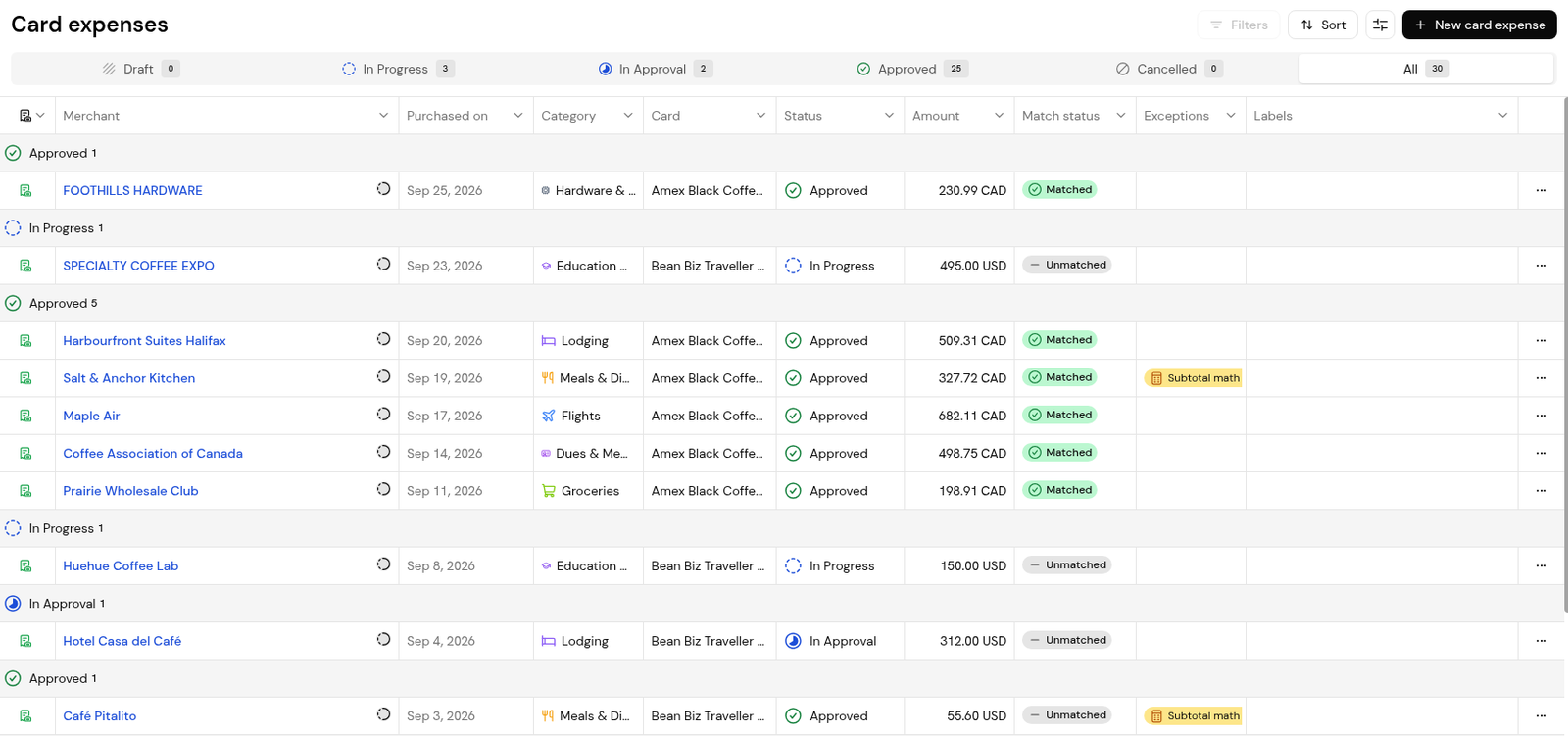
2. Open the expense and read the Exception flags in the Summary panel and the Reconciliation chip.
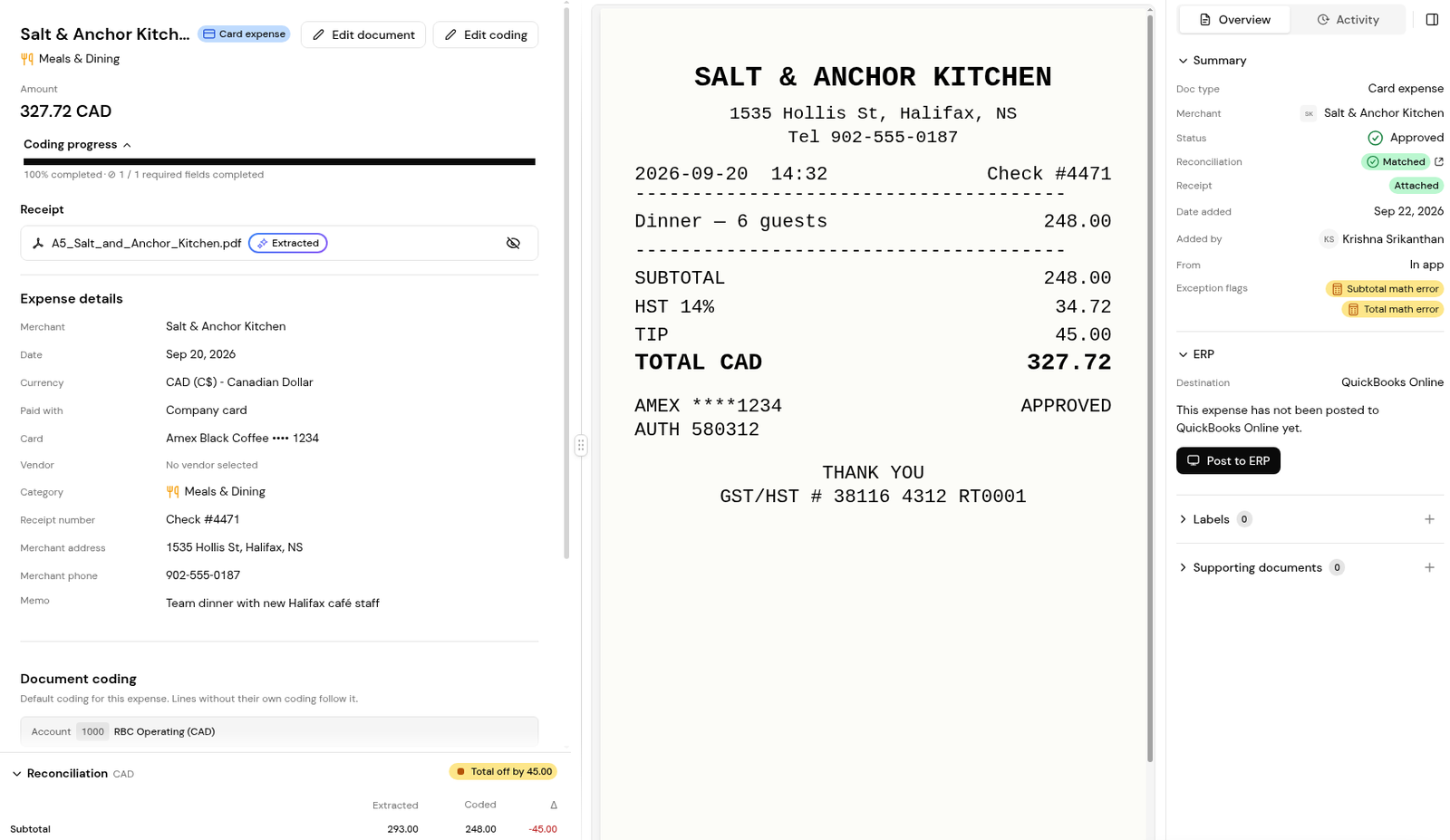
3. Compare the amounts with the receipt and correct them with Edit document.
4. Check that the chip reads Matches receipt before you submit.
1. Open Expenses > Transactions and look for negative amounts.

2. Read the bank description to tell a refund from a payment to the card account, for example "PAYMENT RECEIVED - THANK YOU".
3. For a refund, open the row's ... menu and use Match to expense to link it to the expense it relates to.
1. When you create the expense, click Add line item for each part of the purchase.
2. Code each line with its own Account, and Class, Location and Tax Rate where they apply.
3. Check that the lines add up to the Subtotal and Total on the receipt, and that the Reconciliation chip reads Matches receipt.
Create the expense with Enter expenses manually, explain in the Memo, and link it to its card transaction, which serves as proof of purchase.
As a negative amount in Expenses > Transactions.
The amounts Finofo read from the receipt don't add up to its total. Check them against the receipt and correct them.
Add a line for each department and code each line with its own Class or Location.


