Finofo supports purchasing, receiving and invoice matching, but it isn't a warehouse or inventory valuation system.
Stock levels and inventory valuation stay in your ERP. Use Finofo to control what you order, receive and pay for.
The Products & services catalog describes what you buy: each item's SKU, Type (Inventory, Non-inventory or Service), Category, Base unit, Unit cost and Receipt basis, plus vendor offerings and a Sourcing card with Preferred vendor, Lowest price and Shortest lead time. Finofo uses it to match PO, receipt and invoice lines in one base unit. Items have no on-hand or stock quantity.
Goods receipts record units accepted and rejected against each purchase order, with optional Lot number, Serial number, Expiry date, Bin / location and Condition notes fields. These records support three-way matching and vendor claims; they are not a stock ledger.
Each task below shows whether it happens in Finofo, followed by where to find it.
1. Open Products & services and click New item.
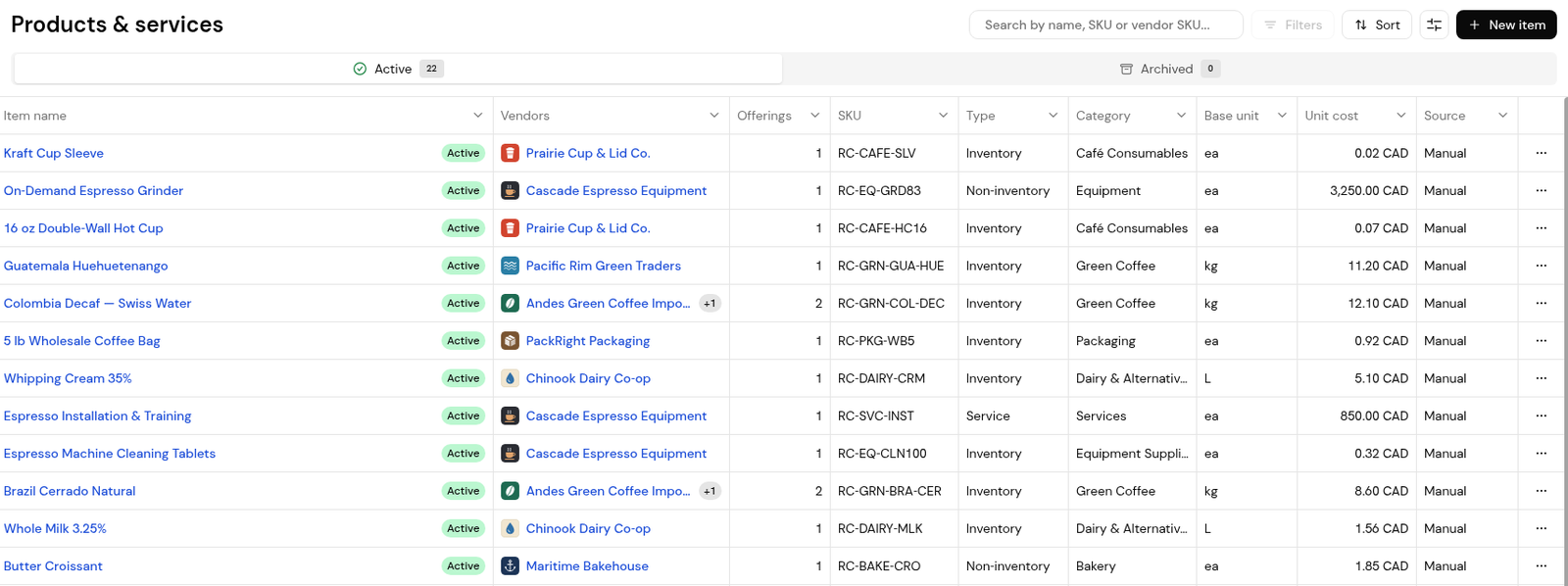
2. Enter the Item name, Type, Base unit, SKU and Unit cost.
3. Click Add vendor offering and enter the vendor's SKU and name, the unit, the pack size and a price.
4. Click Create item.
No. Finofo isn't a warehouse or inventory valuation system; stock levels and valuation stay in your ERP.
The type describes the item, "whether the item is stocked, bought without stocking, or a service". It does not create a stock count.
Yes, on goods receipts, when those optional line fields are switched on in Settings > Receiving.


