A goods receipt records what arrived against a purchase order: units accepted, units rejected and any substitutes.
Open Documents > Goods receipts, click Receive on the PO, record each line and click Post receipt. Only a posted receipt updates the PO and counts for three-way matching.
The Awaiting receipt tab lists purchase orders with deliveries still due, with a receiving status of Not received or Partially received. Each receipt line shows Ordered, Previously received, Received (good), Rejected, Remaining and Status, counted in the item's base unit.
Save as draft keeps the receipt as a draft; nothing changes on the PO until it is posted. Post receipt is what counts: the PO picks up every unit accepted, and three-way matching measures the invoice against it. If you enter more than remains, the Remaining cell turns red, for example "+1,000 over".
1. Open Documents > Goods receipts and stay on Awaiting receipt.
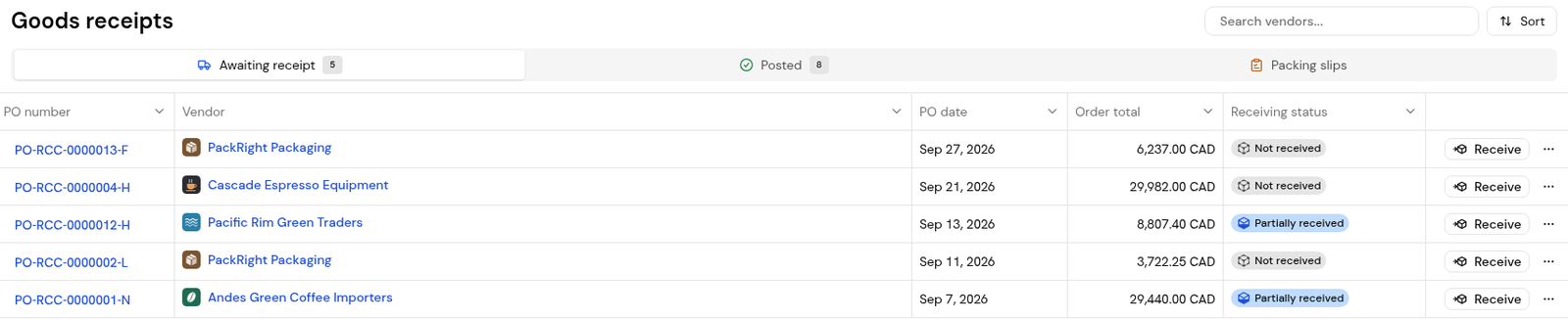
2. Find the PO and click Receive.
3. Check the Receipt date and add Notes if needed.
4. Enter Received (good) on each line, or click Receive all if everything arrived. Use Search lines... on long orders.
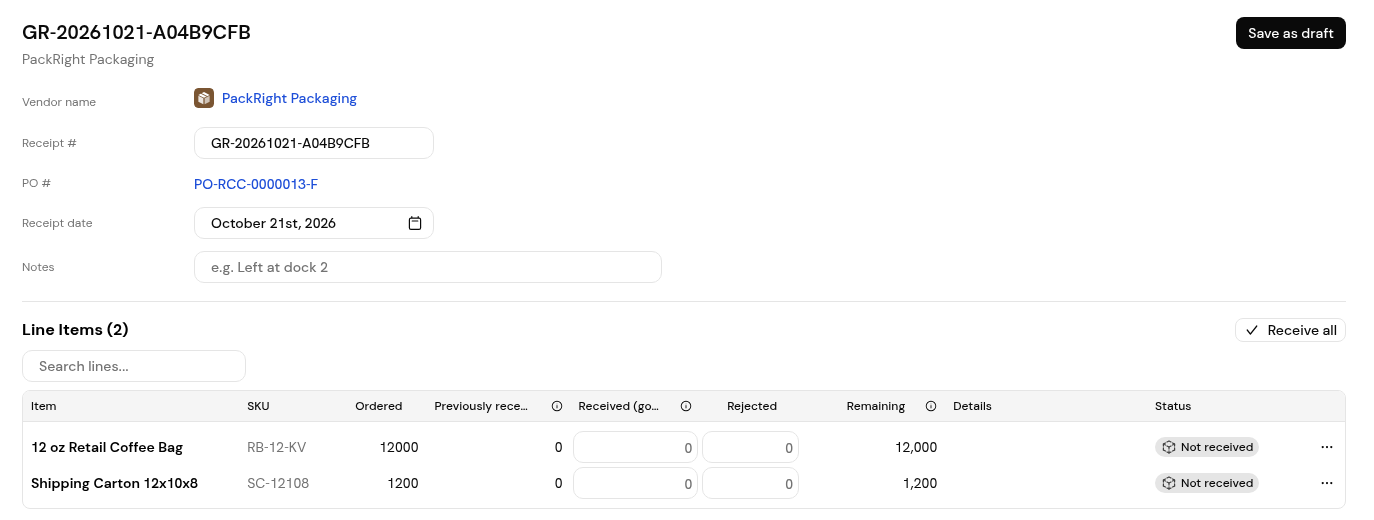
5. Enter any Rejected quantity with its Reason and Disposition.
6. Click Post receipt, or Save as draft to finish later.
Save as draft keeps it as a draft. The PO updates only when you click Post receipt.
The Remaining cell turns red and shows how much is over, for example "+1,000 over".
Yes. Finofo counts each line in the item's base unit when the item is linked to the catalog.


