Finofo matches invoices in one of three modes: 3-Way Matching (PO and goods receipt), 2-Way Matching (PO only) or Invoice Only.
The organization mode is shown in Settings > Matching, and tolerances in Settings > Receiving decide which differences match automatically.
Finofo compares each invoice line with its PO line and, in 3-way mode, the posted goods receipt, in the item's base unit. Linking items to the Products & services catalog lets Finofo convert pack sizes. Each line ends up Matched or in Needs review, for example Awaiting receipt or a price variance.
A tolerance is set two ways, and whichever value is greater applies, per line. A vendor can override the organization mode (3-Way Matching or Invoice Only) and its tolerances on its profile. Lines in Needs review are decided in reconciliation with Pay accepted quantity, Accept variance, Code as expense or Unmatch line, plus Pay PO price on price variance lines.
Each mode below shows what it compares, followed by its typical use.
1. Open Settings > Matching to see the organization's mode.
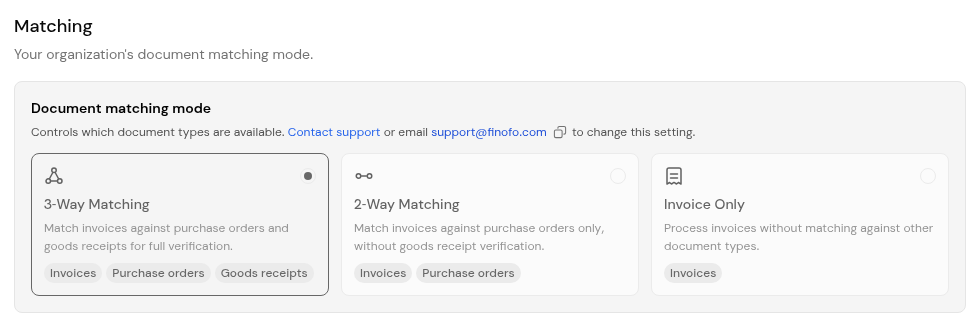
2. To change it, contact Finofo support at support@finofo.com.
3. To override it for one vendor, open the vendor's Profile tab and change Matching Mode.
1. Open Settings > Receiving.
2. Set Receiving tolerance in percent or units.
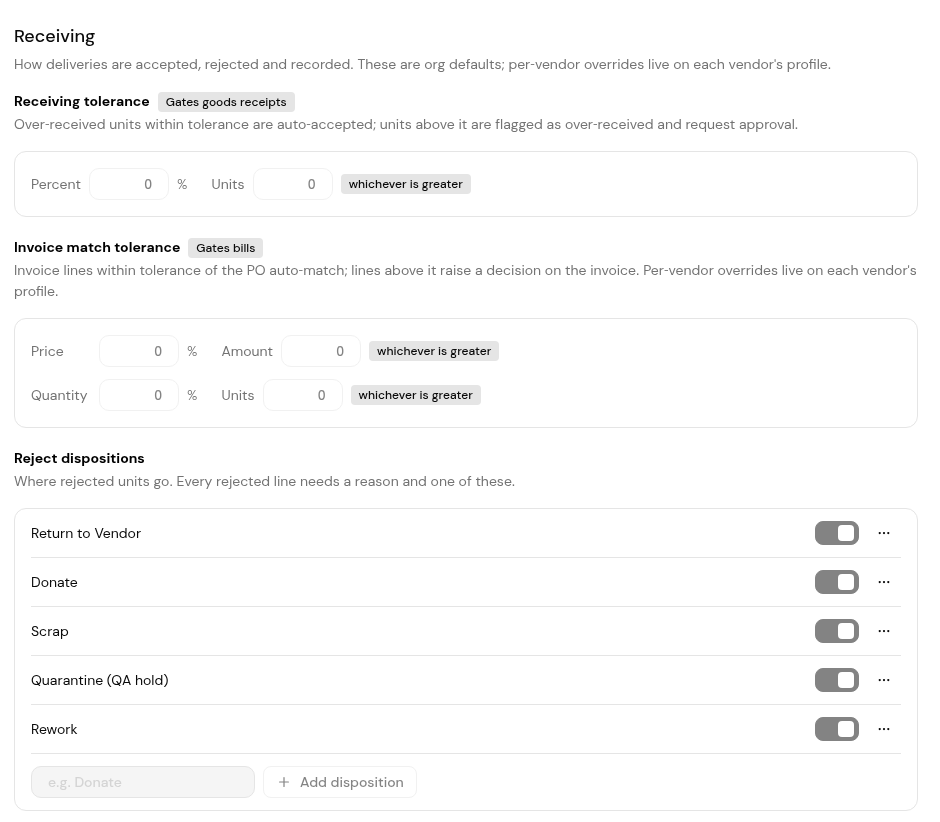
3. Set Invoice match tolerance: price as a percent or amount, and quantity as a percent or units.
4. For one vendor, open its Profile tab and set Tolerances. Until you do, it shows Using org default.
2-way compares the invoice with the PO. 3-way also checks the goods receipt, so you pay only for what was received.
Yes. The organization sets a default, and a vendor can be set to 3-Way Matching or Invoice Only on its profile.
Take a price tolerance of 2% or $5. On a $1,000 line, 2% is $20, so up to $20 matches automatically. On a $100 line, 2% is $2, so the $5 amount applies.
Every difference needs a decision in reconciliation.


