Files Finofo cannot recognize as a purchase order, invoice, packing slip or expense receipt go to Documents > Unclassified, outside the payables flow.
For each file, choose Classify, Link as attachment to another doc or Delete document. Deleting cannot be undone.
Finofo classifies every file it receives. When it cannot identify a file as a supported document type, often because of image quality or an unusual layout, it holds the file in Unclassified instead of processing it, so nothing there can be paid by mistake. Classify asks Finofo to try again ("This could take up to a minute"), and processed files appear on the Recently Classified tab.
An invoice can also be sent back to this list with Mark as unclassified on the invoice's ... menu.
1. Open Documents > Unclassified.
2. Review the list. Each row shows the file name, time, who uploaded it, the source (for example Added via Web app) and the Unclassified status.
3. Click a row. The file opens in the viewer, with a Status panel and the file details on the right.
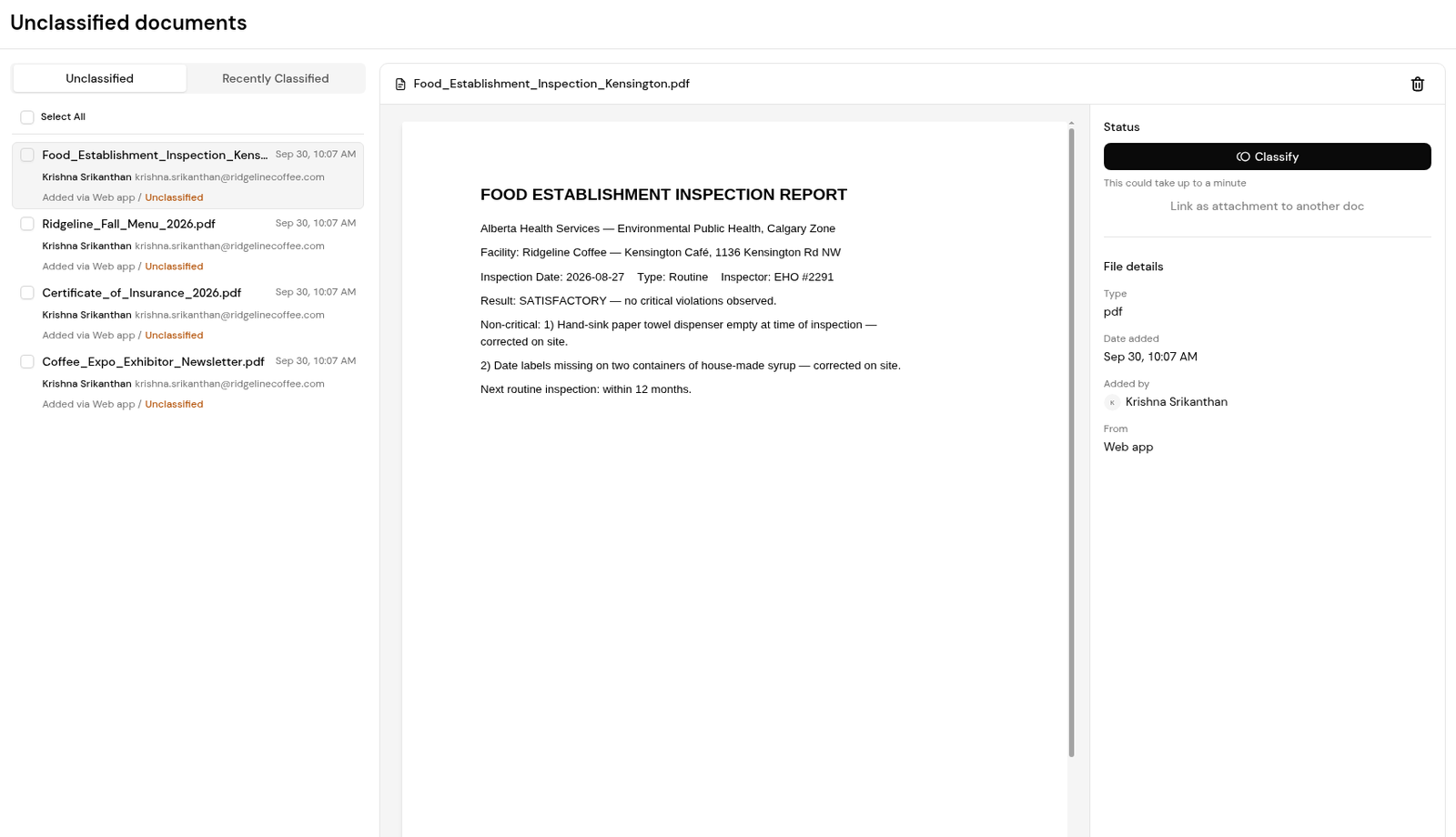
4. Choose Classify, Link as attachment to another doc or Delete document.
5. If you delete, read the warning ("This can't be undone.") and confirm.
6. Check the Recently Classified tab to confirm what has been processed.
Finofo could not identify it as a supported document type, often because of image quality or an unusual layout. Use Classify to try again.
No. Unclassified files stay outside the payables flow until someone acts on them.
No. Finofo warns "This can't be undone." before it deletes a document.
Open the invoice, open its ... menu and choose Mark as unclassified.


